When your car breaks down, the first thing most people do is grab their phone to find help. That’s why having a mobile-friendly website is essential for auto repair shops. Here’s why it matters:
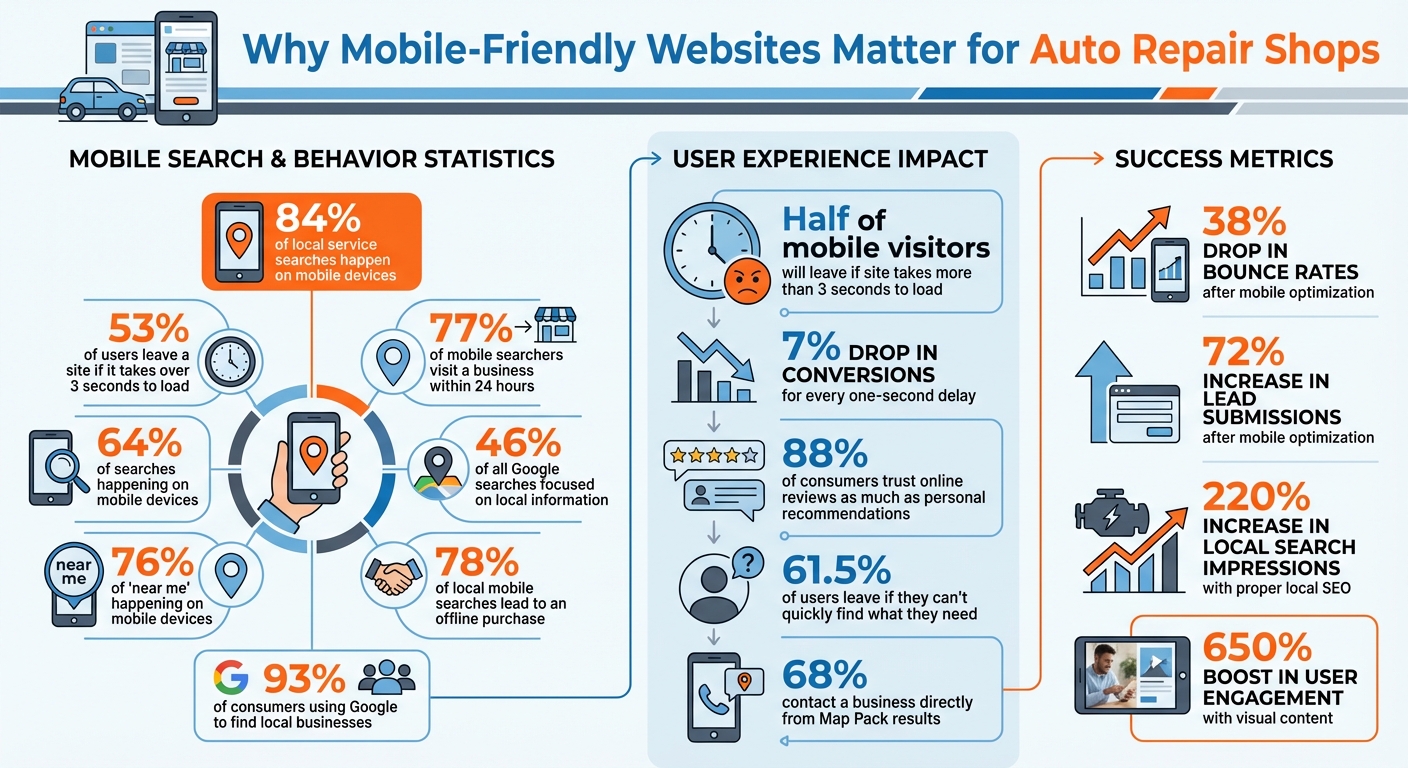
- 84% of local service searches happen on mobile devices.
- 53% of users leave a site if it takes over 3 seconds to load.
- 77% of mobile searchers visit a business within 24 hours.
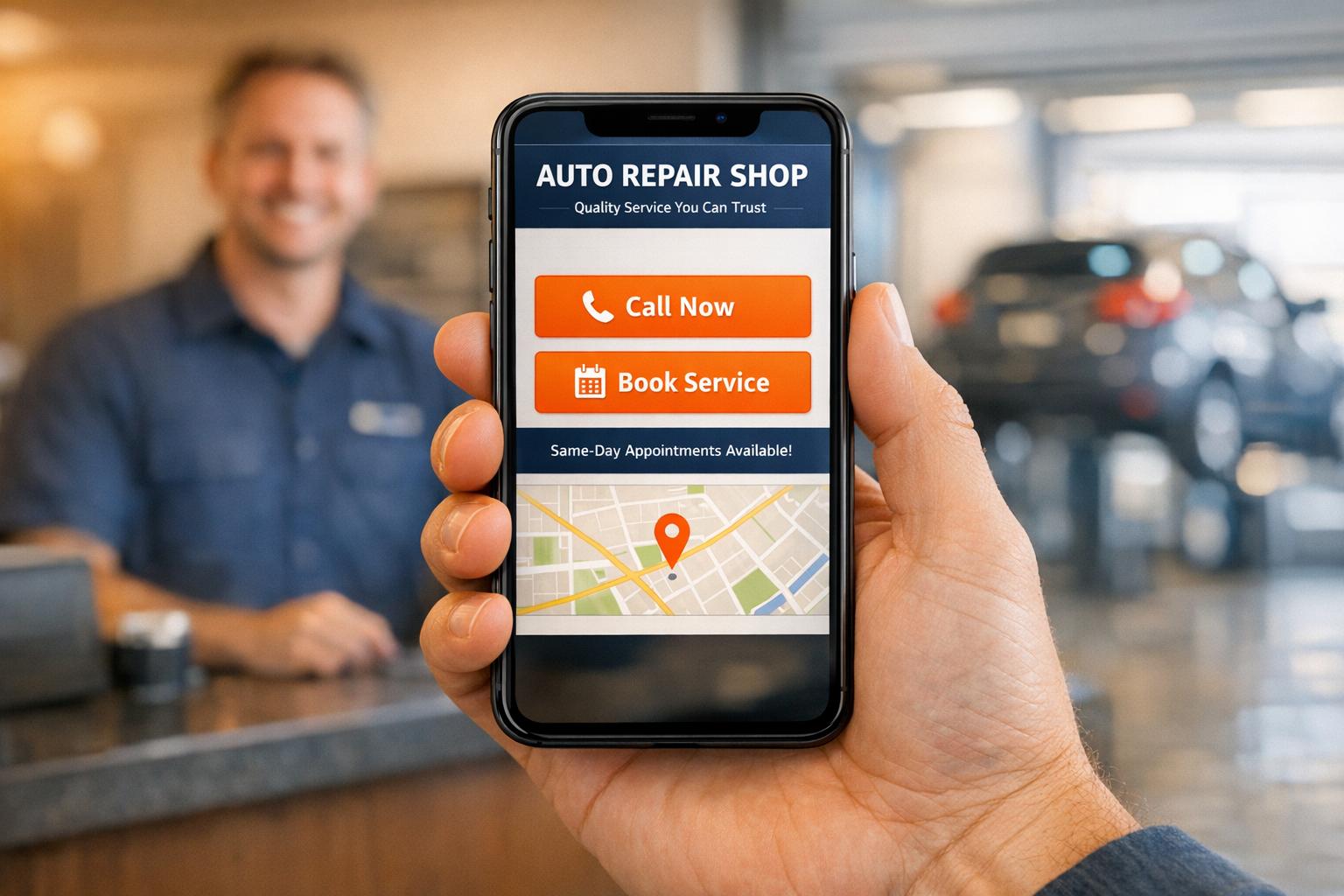
A fast-loading, easy-to-navigate site with features like click-to-call buttons and simple booking forms can turn stressed drivers into paying customers. Google prioritizes mobile performance, so optimizing your site improves both search rankings and trust with potential clients.
The article breaks down key features for a mobile-friendly site, including responsive design, fast loading speeds, and clear call-to-action buttons. It also highlights the importance of essential pages like the homepage, services page, and contact page, along with tips for improving local SEO using location-based keywords and consistent business information.
If your website isn’t optimized for mobile, you’re likely losing customers – and revenue. To capture immediate traffic while your organic presence grows, consider auto repair PPC advertising to reach drivers the moment they search.
Mobile Website Statistics for Auto Repair Shops
How to Make a Car Service Website with Online Booking & Automation
sbb-itb-02fe772
Core Features of Mobile-Friendly Auto Repair Websites
When your car breaks down, chances are you’re reaching for your phone. In those moments, an auto repair website needs to do more than just look good – it needs to work seamlessly on mobile devices. These three features ensure your website not only meets technical expectations but also helps turn a stressful situation into an easy solution for your customers.
Responsive Design and Layout
A responsive design means your website adjusts automatically to fit any screen size, whether it’s a phone, tablet, or desktop. This eliminates the hassle of pinching, zooming, or awkward scrolling. For auto repair businesses, this isn’t just about aesthetics – it’s about functionality. With 64% of searches happening on mobile devices, having a responsive site is crucial for staying visible in local search results, especially since Google prioritizes mobile-friendly sites when ranking pages.
"A mobile friendly auto repair website is not just a nice feature. It is a basic tool that keeps your phones ringing and your bays full."
– Adeel Arshad, MarketinGear
To make navigation easy, consider features like "thumb-friendly" menus, clickable phone numbers that allow users to call with a single tap, and simplified appointment forms. Additionally, a viewport meta tag ensures proper scaling, while mobile-optimized fonts and buttons improve usability.
And don’t forget: speed matters too.
Fast Loading Speeds
Speed can make or break your website’s effectiveness. If your site takes more than three seconds to load, nearly half of mobile visitors will leave. Even a one-second delay can result in a 7% drop in conversions. For customers searching under pressure – possibly from the side of the road – slow speeds send the wrong message and push them toward competitors.
Google’s Core Web Vitals evaluate mobile performance, focusing on metrics like Largest Contentful Paint (LCP), First Input Delay (FID), and Cumulative Layout Shift (CLS). These directly impact your rankings in local "near me" searches. For example, a repair shop in California improved its mobile PageSpeed score from 52 to 94 by optimizing images, using a lightweight theme, and employing a content delivery network (CDN). The result? A 38% drop in bounce rates and a 72% increase in lead submissions.
To boost speed:
- Use modern image formats like WebP.
- Implement lazy loading so images load only as users scroll.
- Minify CSS and JavaScript to reduce server requests.
Aim for the first piece of content to appear within 1–2 seconds and for the full page to load in under three seconds.
Clear Call-to-Action Buttons
When a potential customer visits your site, they shouldn’t have to dig around to figure out how to contact you. Clear, visible call-to-action (CTA) buttons are essential. These buttons should be large, easy to tap, and placed in the "Thumb Zone" – the bottom-center area of the screen where most users naturally tap with one hand. Actions like "Call Now" or "Book Appointment" should be in a sticky header or footer that stays accessible as users scroll.
Here’s how to make CTA buttons work effectively:
| UI Element | Mobile Best Practice | Why It Matters |
|---|---|---|
| Button Size | Minimum 48×48 pixels | Prevents accidental taps. |
| Placement | Bottom-center (Thumb Zone) | Makes one-handed use easier. |
| Phone Number | Click-to-call (tel: link) |
Enables instant contact. |
| Navigation | Sticky Footer/Header | Keeps key actions always visible. |
Additionally, keep booking forms simple. Only ask for essentials like Name, Phone, and Service. Use specific input types (e.g., type="tel" for phone numbers) to trigger the correct mobile keyboard, making the process faster and frustration-free. With these features, your customers can go from browsing to booking in less than 30 seconds – all with just their thumb.
Required Pages for Auto Repair Shop Websites
Your mobile website should be designed to quickly guide stressed drivers to the information they need. A well-structured site typically relies on three essential pages: a homepage that grabs attention, a services page that highlights your expertise, and a contact page that simplifies reaching out. Each page plays a unique role in turning visitors into customers.
Homepage
Your homepage is where first impressions count, and on mobile, you’ve got about three seconds to make an impact. As Adeel Arshad from MarketinGear explains, “A stressed driver should land on your site and understand what to do in about three seconds”. To achieve this, keep the essentials – your shop name, a clear message, and action buttons like "Call Now" or "Book Appointment" – right at the top, visible without scrolling.
Speak directly to your audience’s needs. A headline such as "We Take Care of People" connects emotionally, while listing your credentials doesn’t have the same effect. Use authentic photos of your team and shop instead of stock images to build trust and show you’re a real, approachable business. Reinforce credibility with trust signals like ASE certifications, BBB ratings, and standout customer reviews. After all, 88% of consumers trust online reviews as much as personal recommendations.
Include a quick summary of your main services, explicitly mentioning "Auto Repair" and specific offerings like brake service, oil changes, or diagnostics. This helps both search engines and potential customers confirm you can solve their problem. Make sure your NAP (Name, Address, Phone) details match your Google Business Profile. A sticky header with a "Call Now" button ensures visitors can reach you at any time while navigating your site.
Next, let’s look at how a well-designed Services Page can guide visitors toward booking an appointment.
Services Page
A clear and organized Services Page builds trust and helps users easily find what they need. Dividing services into categories – like brakes, engine diagnostics, or electrical work – keeps things simple for mobile users. Each service should have a short, benefit-driven description that avoids technical jargon. For example, instead of saying "comprehensive drivetrain analysis", try "We diagnose transmission problems and get you back on the road."
For better visibility on search engines, consider creating dedicated pages for specific services like "Brake Repair" or "A/C Repair." These pages help search engines identify your expertise, improving your ranking for those specific searches. Use real photos and before-and-after images to showcase your skills. After each service description, include a "Book This Service" or "Request a Quote" button to encourage immediate action. With visual content boosting user engagement by up to 650%, combining authentic images with clear calls-to-action can turn casual visitors into paying customers.
Once customers know what you offer, the next step is making it easy for them to contact you.
Contact Page
The contact page is where high-intent visitors go when they’re ready to reach out, so simplicity is key. Display your phone number prominently with a click-to-call button for one-tap dialing. Add your physical address, a clickable email link, and clear business hours to set expectations and build trust.
An embedded Google Map is a must-have. It allows users to get GPS directions with a single tap – a critical feature since over 60% of local business searches happen on mobile devices. Keep your contact form straightforward by only asking for essentials like name, phone, and service needed. Use large, mobile-friendly fields to make it easy to fill out. As Paul Donahue from Advanced Digital Automotive Group points out, “A confusing website suggests a disorganized business – even if that’s not the case”. Ensure contact details remain visible while scrolling to minimize friction and boost conversions.
| Feature | Mobile Benefit | Impact on Customer Action |
|---|---|---|
| Click-to-Call Button | Eliminates manual dialing | Encourages immediate phone calls |
| Interactive Map | Provides one-tap GPS navigation | Increases visits to your shop |
| Simple Contact Form | Easy to complete on small screens | Captures leads after business hours |
| Clear Business Hours | Prevents wasted trips | Sets realistic expectations |
| Sticky Contact Info | Always visible while scrolling | Makes reaching out hassle-free |
Improving Mobile User Experience
Getting the essential pages in place is just the beginning – creating a smooth mobile experience is what truly builds trust and encourages conversions. With over 60% of all web traffic coming from mobile devices and 61.5% of users leaving if they can’t quickly find what they need, every interaction counts. A mobile-friendly design isn’t enough if users struggle to navigate, read, or complete tasks. The aim is to make every step seamless, so customers can get the help they need without frustration.
Simple Navigation
Navigation on mobile should be so intuitive that even someone multitasking can find what they need in seconds. Stick to clear, straightforward labels like "Services", "Contact," and "About Us" instead of using creative or unclear terms. A hamburger menu (the familiar three-line icon) keeps the interface clean, hiding less critical options while keeping the focus on the essentials.
To make navigation even easier, ensure buttons and links are large enough to tap comfortably and spaced far enough apart to avoid accidental clicks. Consider adding a sticky header that stays visible as users scroll, so contact options are always within reach.
When it comes to actions like booking or contacting, simplicity is key. Visitors should be able to complete these tasks with no more than one or two clicks. A clean structure, plenty of white space, and consistent fonts all help reduce mental effort, making it easier for users to take action.
Next, focus on readability to keep users engaged.
Readable Text and Images
Tiny text and slow-loading visuals are a surefire way to lose mobile visitors. Use a minimum font size of 16px to make text readable without requiring users to zoom in. Break up content into short, scannable blocks of 3–5 lines, and use clear headings so users can quickly locate the information they need.
For images, compress them using formats like WebP to keep file sizes small while maintaining quality. This is crucial, as over half of mobile users will leave a site if it takes longer than 3 seconds to load. Whenever possible, include real photos of your shop, team, or work – these build trust far better than generic stock images.
Make sure there’s a strong contrast between text and background colors to ensure readability in any lighting condition, whether users are outdoors or in their car. Avoid pop-ups that are hard to close on small screens, as these can lead to users leaving your site entirely.
"Mobile-friendly design isn’t optional – it’s expected. Search engines prioritize mobile usability, and customers associate smooth mobile experiences with professionalism and reliability." – Paul Donahue, Advanced Digital Automotive Group
Easy-to-Use Forms
Forms are often where mobile users lose patience, so keeping them simple is critical. Arrange fields in a single vertical column to minimize confusion and prevent accidental taps. Ask only for essential details – like name, phone number, and service request – to make the process quicker and more user-friendly.
Use HTML5 input types like type="tel" for phone numbers and type="email" for email addresses to automatically bring up the correct mobile keyboard. Position labels above input fields so they remain visible when the keyboard appears, and ensure buttons and fields are at least 44px x 44px to accommodate finger sizes.
Add real-time validation to help users catch and fix errors as they type, instead of after submitting the form. For longer forms, break them into smaller sections with progress indicators to make the process feel less overwhelming. Lastly, include a prominent "Call Now" button near the form for users who prefer immediate contact.
A streamlined form design not only reduces frustration but also turns visitors into leads for your auto repair business.
| Form Element | Mobile Best Practice | Why It Matters |
|---|---|---|
| Layout | Single vertical column | Prevents horizontal scrolling and misclicks |
| Field Size | Minimum 44px x 44px | Fits finger sizes and reduces input errors |
| Input Types | Use type="tel", type="email" |
Automatically triggers the correct keyboard |
| Label Position | Above input fields | Keeps labels visible when the keyboard pops up |
| Field Count | 3–5 essential fields only | Reduces drop-off and speeds up completion |
Local SEO for Mobile Websites
Having a mobile-friendly auto repair website is just the beginning; if local customers can’t find you in search results, you’re missing out. With 46% of all Google searches focused on local information and 76% of "near me" searches happening on mobile devices, fine-tuning your site for local SEO is a must. Even better, 78% of local mobile searches lead to an offline purchase, meaning customers searching on their phones are often ready to buy. Your goal? Make sure your business is front and center when locals search for services like yours.
Location-Based Keywords
Broad terms like "auto repair" won’t get you far when competing for local traffic. Instead, aim for hyper-local keywords by including specific neighborhoods, landmarks, or city names in your content. For instance, phrases like "brake repair in Midtown" or "hybrid diagnostics near [Landmark]" can help you grab attention from nearby customers.
Strategically place these keywords in your title tags, meta descriptions, headings (H1, H2), and the first paragraph of key pages like your homepage or service pages. Keep title tags under 60 characters and meta descriptions under 160 characters to ensure they display properly on mobile devices. Combining symptom-based keywords with location details (e.g., "brake squeal repair in [City]") can also attract high-intent visitors.
If your business serves multiple areas, consider creating dedicated landing pages for each city or neighborhood. These pages can include local staff profiles, testimonials, and area-specific details. Use tools like Google Autocomplete and "People Also Ask" to discover what locals are searching for, and implement LocalBusiness and AutoRepair schema markup to help search engines better understand your business’s location, services, and hours.
"If I can’t find you fast, I’ll choose another shop." – Niraj Yadav, Cofounder & CTO, Anatech Consultancy
These methods not only improve your search rankings but also set the stage for seamless map integration, helping customers find your shop with ease.
Google Maps Integration
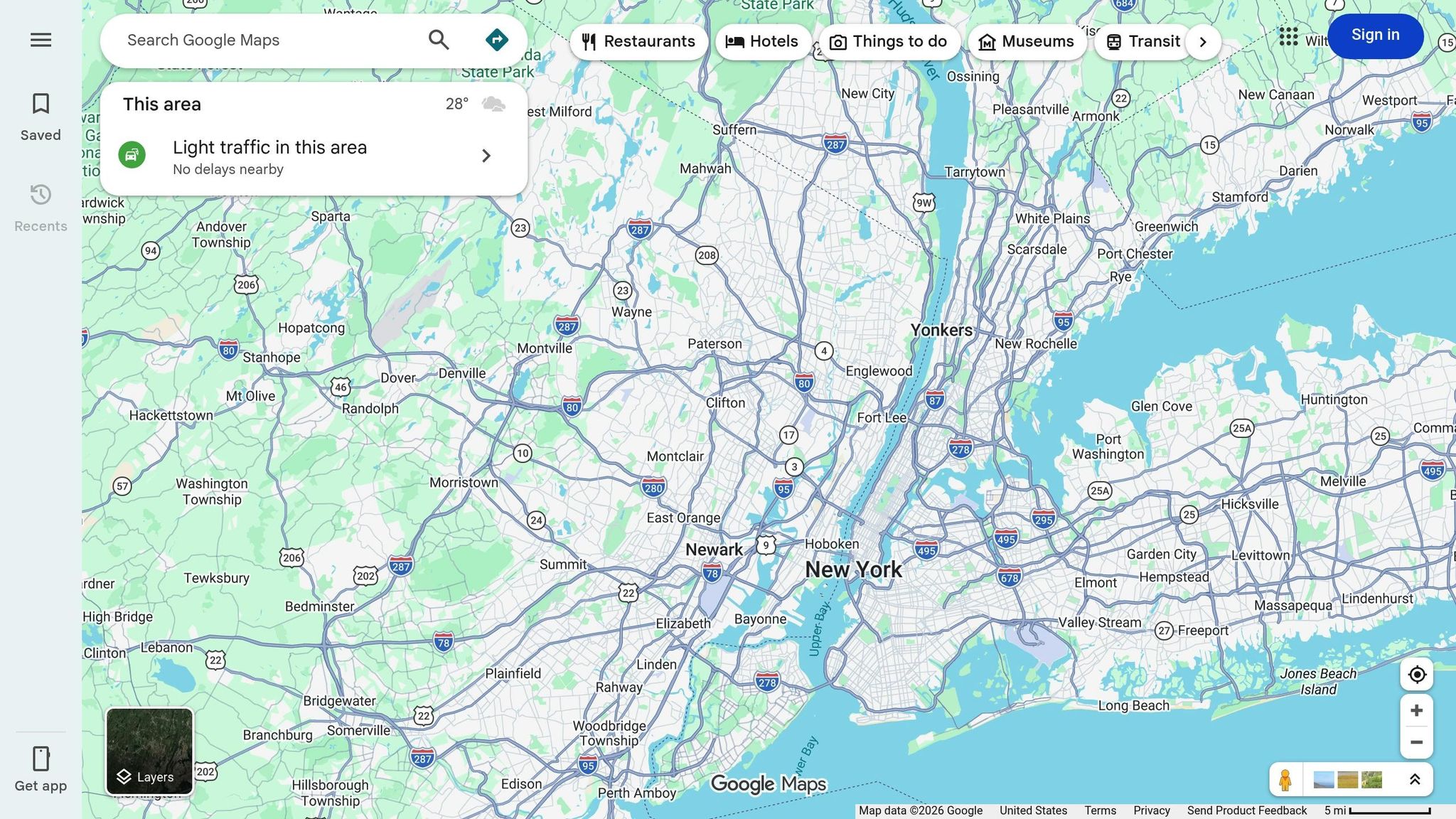
Adding a Google Map to your website does more than guide customers to your door – it strengthens your online presence by reinforcing your connection to your physical location in Google’s algorithm. With 93% of consumers using Google to find local businesses and 68% contacting a business directly from Map Pack results, this is a step you can’t skip.
To embed a map, search for your business on Google Maps, click "Share," select "Embed a map," and copy the HTML code. Set the map width to 100% so it adapts to all screen sizes – mobile, tablet, or desktop. Place the map on your contact page or footer, and make sure your Name, Address, and Phone Number (NAP) appear in crawlable HTML text nearby, not as an image.
Enhance usability with "Call Now" and "Get Directions" buttons near the map, allowing mobile users to act with a single tap.
For example, in July 2025, Midtown Auto Repair in Denver launched a local SEO strategy that included cleaning up NAP inconsistencies, creating neighborhood-specific landing pages for areas like Capitol Hill and Cherry Creek, and adding LocalBusiness schema. Within 90 days, their reviews jumped from 13 to 68, local search impressions increased by 220%, and they secured the #2 spot in the Google Map Pack for "auto repair Denver".
Consistent NAP Information
Your Name, Address, and Phone Number (NAP) are like your business’s digital ID. Google relies on this information across your website, Google Business Profile, and online directories to verify your legitimacy. Even minor inconsistencies – like "Street" vs. "St." – can confuse search engines and hurt your rankings.
To avoid this, standardize your NAP format and use it consistently on your website, Google Business Profile, Yelp, Apple Maps, and Bing Places. Ensure your NAP is in selectable HTML text, not embedded in images, so search engines can read it. Conduct quarterly audits by searching for your business phone number online to identify and fix outdated or duplicate listings.
Consistency is key to appearing in the Local Pack – the prime real estate in local search results. With 76% of local mobile searches leading to a business visit within 24 hours, accurate NAP details can make or break your ability to convert those searches into visits.
"Think of your business’s NAP (name, address, and phone number) as your digital thumbprint." – Moz
| NAP Audit Step | Action Required |
|---|---|
| Business Name | Ensure it’s identical across your website, Google Business Profile, and directories. |
| Phone Number | Use one consistent primary local number on all platforms. |
| Address Format | Standardize units/suites (e.g., "Suite 100" vs. "#100"). |
| Map Pin | Verify the Google Business Profile pin matches your actual entrance. |
| Duplicates | Remove or merge duplicate listings for the same location. |
Conclusion
Having a mobile-friendly website isn’t just a nice-to-have for auto repair shops – it’s a must. With over 60% of searches happening on mobile devices and 53% of users leaving slow-loading sites, your mobile performance can be the deciding factor for drivers in need.
Think about it: someone searching for "brake repair near me" or "open now" is likely dealing with an urgent situation, possibly from the side of the road or a busy parking lot. These users need a site that works seamlessly on any device, loads quickly, and offers features like thumb-friendly "Call Now" buttons. These small details can make a big difference, helping you connect with potential customers instantly and building trust before they even walk through your doors.
"When your website meets customers at their point of need, it becomes an extension of your service quality rather than a barrier." – AutoRepairSEO
Local SEO takes this a step further by putting your shop in front of the right audience at the right time. Using location-based keywords, integrating Google Maps, and ensuring your NAP (name, address, phone number) details are consistent across platforms can make your shop easy to find. With 76% of local mobile searches leading to a visit within 24 hours and 78% resulting in an offline purchase, the data shows that mobile users are ready to act.
FAQs
How do I test if my site is truly mobile-friendly?
To see if your site works well on mobile devices, you can use tools like the developer tools in your browser – Chrome’s device mode, for example, lets you simulate how your site looks on different screen sizes. Another simple method is to open your site directly on a smartphone or tablet to check things like text readability, navigation ease, and how quickly it loads. For a more detailed analysis, try Google’s PageSpeed Insights, which not only evaluates your mobile performance but also offers tips to improve it. Testing regularly helps ensure a smoother experience for users and can boost your search rankings.
What are the fastest ways to speed up my mobile website?
To make your mobile website faster, begin by checking its performance with tools like Google’s PageSpeed Insights. This helps pinpoint areas that need improvement. Next, ensure your site uses a responsive design so it adjusts well to different screen sizes. Compress images to reduce file sizes, enable GZIP compression to speed up data transfer, and take advantage of server caching to load pages faster.
Other tips include cutting down on page redirects and limiting the number of HTTP requests. These optimizations not only improve the user experience but also boost your search rankings – making it easier for auto repair shops to connect with local customers.
Which local SEO updates help my shop show up in ‘near me’ searches?
If you want your shop to show up more often in those ever-important "near me" searches, there are a few key steps you can take:
- Optimize Your Google Business Profile: Make sure your profile is complete, accurate, and up-to-date. Include essential details like your business hours, services, and photos to stand out.
- Keep NAP Information Consistent: Your Name, Address, and Phone number (NAP) should be the same across all platforms – your website, social media, and directories. Consistency builds trust with search engines.
- Engage with Customer Reviews: Encourage happy customers to leave reviews, and take the time to respond to them – both positive and negative. This shows you’re active and care about your audience.
- Use Location-Based Keywords: Incorporate keywords that tie your business to your area. For example, instead of "coffee shop", try "coffee shop in downtown Seattle."
- Add Schema Markup: Schema markup helps search engines better understand your business details, like your location and services, which can improve your local search rankings.
By focusing on these updates, you’ll increase your chances of appearing in proximity-based searches and attract more local customers.