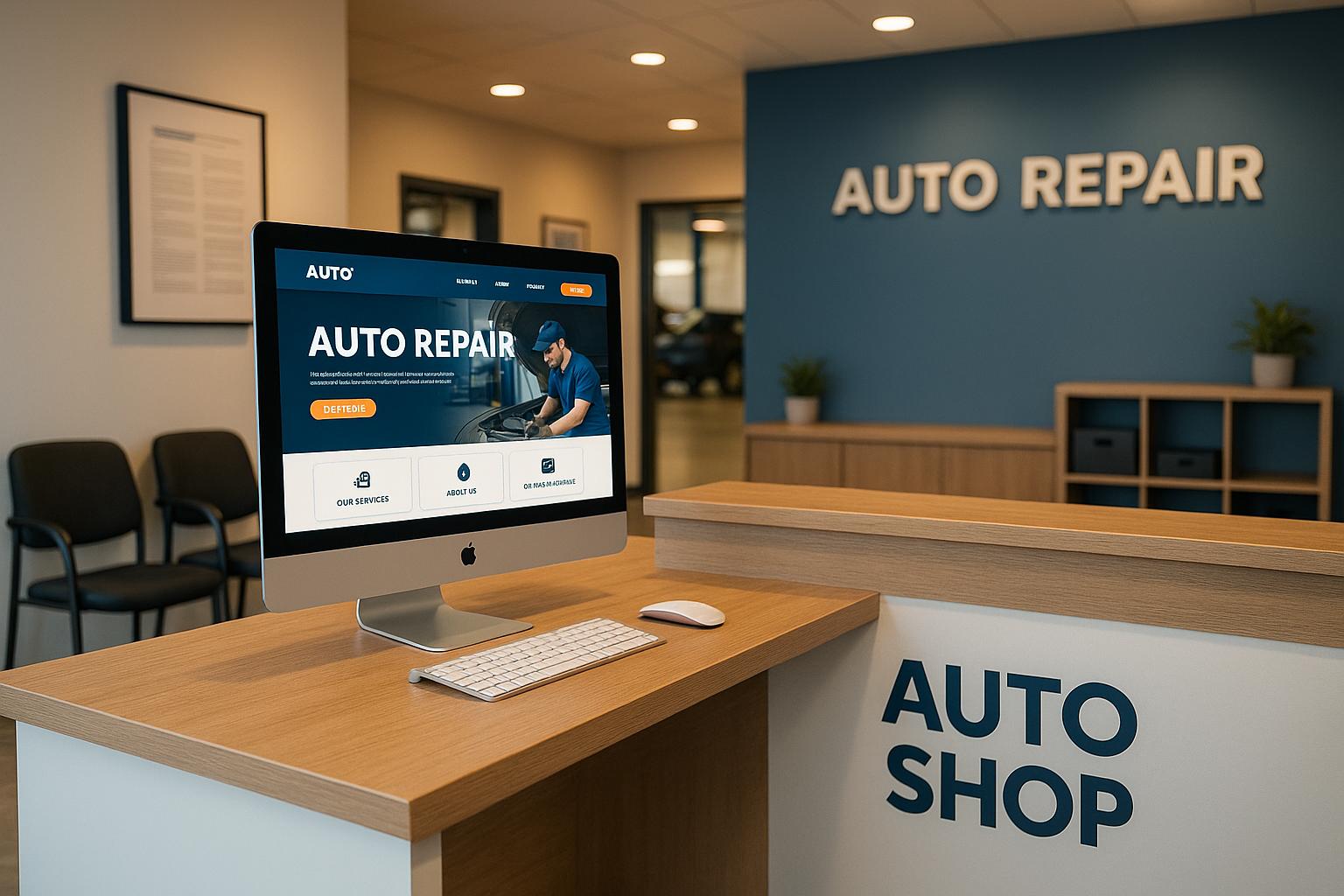
Your auto shop’s website is the first impression for most potential customers. A well-designed site can attract new clients, improve local search visibility, and provide essential information like services, contact details, and online booking options. Here’s what your website needs to succeed:
- Homepage Basics: Display your shop name, address, phone number, and hours clearly. Highlight key services like oil changes or brake repairs.
- Service Pages: Create detailed pages for each service to rank higher in local searches and answer customer questions.
- Mobile Optimization: Ensure your site is easy to navigate on phones, with quick access to contact info and booking tools.
- Trust Elements: Add customer reviews, certifications, and clear calls-to-action like “Book Now” or “Call Us.”
- Fast Loading: Optimize images and code to keep load times short, especially for mobile users.
A professional website isn’t optional. It’s your 24/7 salesperson, helping you stand out from competitors and turn visitors into customers.
How To Create A Car Repair, Auto Serice, Mechanic Shop Website In WordPress (2025) 🔥
Core Components of an Auto Shop Website
Your website should work like a finely tuned engine, guiding visitors smoothly from their initial search to booking an appointment. Every element plays a role in turning casual visitors into loyal customers.
Homepage Essentials
Think of your homepage as your shop’s digital storefront. It needs to immediately answer the big questions: Who are you? Where are you located? How can people contact you? Display your shop name, full address, phone number, and business hours prominently – ideally at the top of the page, so visitors don’t have to hunt for it.
This is also the place to highlight what makes your shop stand out. Do you have a team of seasoned mechanics? A reputation for top-notch service? Lead with your strongest selling points to build trust and confidence. Potential customers want to know they’re choosing a reliable shop that can handle their automotive needs.
Instead of overwhelming visitors with an exhaustive list of services, focus on your most popular ones – like oil changes, brake repair, engine diagnostics, and transmission work. Feature these prominently on your homepage and link each to a dedicated page with detailed information.
Adding an embedded Google Map is another smart move. It helps customers visualize your location and provides easy access to directions with just one click. A strong homepage sets the stage, while your service pages provide the deeper details that drive bookings.
Detailed Service Pages
Your homepage introduces your shop, but individual service pages do the heavy lifting when it comes to explaining what you offer. Creating separate pages for major services not only helps customers find the information they need but also improves your visibility in local search results. For instance, if someone searches for "brake repair near me" or "oil change in [your city]", having dedicated service pages increases the chances they’ll land on your site.
Each service page should break down the specifics of what you offer, how long the service typically takes, and, if possible, pricing details. For example, a brake repair page might explain the difference between replacing brake pads and a full brake system overhaul. Similarly, an oil change page could describe the process and the types of oil available – such as conventional, synthetic blend, or full synthetic.
Always include clear calls-to-action (CTAs) on these pages. Use bold, easy-to-spot buttons with action-oriented phrases like "Call Now for Brake Service" or "Schedule Your Oil Change Online." These CTAs make it simple for visitors to take the next step.
Service pages are also a great place to address common questions or concerns. Include details about warranty coverage, estimated completion times, and what customers can expect during their visit. This builds trust and reduces the need for follow-up calls or emails.
Contact Information and Online Booking
To turn interest into action, make sure your contact and booking process is seamless. Your contact section should include all the essentials: an embedded map, clear directions, and consistent Name, Address, and Phone number (NAP) details. Consistency across your website, Google My Business listing, and other directories is critical for both customer trust and local search rankings.
Modern customers value convenience, so offering online booking is a must. An integrated scheduling system allows visitors to choose their service, select a time slot, and book their appointment without picking up the phone. This not only boosts conversions but also enhances the customer experience.
In May 2024, Tony’s Auto Service Center was recognized for making key details like business hours easy to find.
Keep contact forms short and to the point. Ask for only the essentials: name, phone number, email address, and a brief description of the issue. Long forms can discourage submissions, so keep it simple.
Design your booking buttons to stand out. Use contrasting colors and clear text like "Book Now" or "Schedule Appointment." Place these buttons in high-visibility spots, such as the top right corner or center of your homepage. On mobile devices, ensure the buttons are large enough for easy tapping.
Mobile Design and User Experience
A large number of your potential customers are likely visiting your auto shop’s website on their smartphones. They might be looking for repair services or simply checking your operating hours while on the move. If your site isn’t set up to work well on mobile devices, you could lose these visitors before they even get a chance to interact with your business. That’s why having a mobile-friendly design is critical – it ensures customers can quickly find the information they need.
Mobile-Friendly Layout
A responsive design is key for auto shop websites. Your site should automatically adapt to different screen sizes, whether someone is using a phone, tablet, or desktop. On a smartphone, visitors should be able to easily read service details and access contact information without needing to zoom in or scroll sideways.
Make sure the most important details – like your phone number and a prominent ‘Call Now’ button – are front and center in a single-column layout. This eliminates unnecessary scrolling and ensures that these elements are easy to tap.
Break up your service descriptions into short paragraphs, use bullet points, and leave plenty of white space to make the content easier to scan.
Simple Navigation and Accessibility
Your mobile navigation should be intuitive and designed for touch. Menu buttons need to be large enough to tap without frustration and spaced apart to avoid accidental clicks. A hamburger menu (the three-line icon) works well on mobile, but it has to be easy to spot. Once opened, it should reveal all the key pages – Services, About, Contact, and Book Appointment – in a smooth and user-friendly way.
Make sure your fonts are easy to read on smaller screens, with no need for zooming. Use bold, larger headings to create a clear structure and guide users through the content.
High color contrast is another important factor. It helps ensure readability, especially in bright outdoor conditions. For example, dark text on a light background works well, and high-contrast buttons can grab attention for important actions like booking an appointment.
Don’t forget accessibility. Add alt text to images, ensure your site works with screen readers, and make interactive elements easy to use via touch or voice commands. This makes your website inclusive for all users, including those with disabilities.
Fast Page Loading
Nobody likes waiting for a slow website – especially on mobile. A lagging page can quickly drive potential customers away. To keep your visitors engaged, optimize your site for speed. Use modern image formats like WebP, compress images to reduce their size, and clean up any unnecessary code that might be slowing things down.
A fast hosting provider and content delivery networks (CDNs) can also make a big difference, ensuring your site loads quickly for users no matter where they are.
Regularly test your site’s speed with tools like Google PageSpeed Insights. These tools not only measure load times but also offer practical tips to help you fix any issues. For example, they might suggest compressing images further or trimming down code.
Finally, remember to optimize for slower mobile connections. By reducing the size of your images and streamlining your code, you can create a smoother experience even for users with limited bandwidth.
Building Trust Through Design
Your website’s design isn’t just about aesthetics – it’s a key player in building trust with potential customers. First impressions happen fast, often within seconds of landing on your site. That means your design needs to instantly communicate reliability and professionalism. When trust is baked into your site’s design, it reinforces the usability and mobile-friendly features, creating a stronger connection with visitors before they even step into your auto shop.
Customer Reviews and Testimonials
Positive reviews can transform a casual visitor into a loyal customer. Here’s how you can effectively highlight them:
- Dedicate a page to customer reviews, giving visitors an easy way to see the positive experiences of others.
- Showcase testimonials right on your homepage as visible trust boosters.
- Add reviews to specific service pages to reassure potential customers about the quality of those services.
- Place trust signals – like reviews or certification badges – next to calls to action, such as "Book Appointment" or "Call Now", to encourage immediate engagement.
Seamlessly weaving these elements into your site not only builds trust but also nudges visitors toward taking action. To keep the momentum going, encourage happy customers to leave reviews on platforms like Google and Yelp. Be proactive – thank customers for their positive feedback, address any concerns promptly, and use tools like Google Alerts to stay on top of new reviews. These steps show that you value customer opinions, further strengthening their confidence in your business.
sbb-itb-02fe772
Lead Generation Tools and Features
Transform your website into a powerful tool for turning visitors into paying customers with targeted lead generation features. These tools work tirelessly, gathering leads and delivering insights that help you fine-tune your strategy. The goal? Make it simple for potential customers to take action while giving you the data needed to keep improving.
Online Booking and Phone Integration
An online booking system is a game-changer for customer convenience. It lets visitors browse your services, pick a time, and book appointments anytime – no need to wait for business hours or call-backs. This 24/7 accessibility ensures you never miss a booking opportunity, which is especially appealing to busy professionals who often schedule outside traditional hours.
Take Anderson Auto Repair as an example. Their website features an intuitive online booking tool paired with a Google map for easy navigation. For businesses offering specialized services, integrated booking platforms can streamline the process, making it easy for customers to schedule while providing you with valuable lead tracking.
Don’t overlook the importance of phone integration. Displaying a clickable phone number allows mobile users to call you instantly . Adding call extensions to your Google Ads campaigns can also boost conversions by encouraging direct calls from potential customers.
The best approach combines online booking for those who prefer self-service with robust phone integration for customers who want to speak directly with someone. Make sure your appointment forms are mobile-friendly, as many users will be browsing on their phones. Once leads are captured, use the data to analyze behavior and refine your strategy for even better results.
Website Analytics and Tracking
Lead generation tools are only as effective as the insights they provide. That’s where analytics come in, offering a window into visitor behavior, conversion rates, and which pages are driving the most leads. These insights allow you to make smarter decisions about website design and content updates.
Google Analytics is a go-to solution, providing detailed data on visitor demographics, traffic sources, and user behavior. Conversion tracking is a must – it helps you monitor actions like form submissions, phone calls, and appointment bookings, so you know which marketing channels are delivering high-quality leads.
Heat mapping tools add another layer of understanding. They show where visitors click, scroll, and linger on your site. You might uncover surprising patterns, like users trying to click on non-clickable elements or missing important call-to-action buttons.
Keep an eye on key metrics like conversion rate, bounce rate, session duration, and pages per session. For instance, a high bounce rate on your homepage could point to design flaws, while low conversion rates on service pages might signal unclear messaging or weak calls-to-action. Call tracking numbers can also reveal which campaigns are driving phone inquiries – using unique numbers for different campaigns helps identify what’s working.
To stay on top of your site’s performance, set up automated monthly reports. Instead of stressing over daily fluctuations, look for trends. For example, an increase in mobile traffic might mean it’s time to focus on mobile optimization, while a drop in conversion rates could hint at technical issues or rising competition. Regular analysis helps you adjust your strategy and keep your lead generation efforts on track.
US Market Customization and Standards
Building a strong connection with your American audience goes beyond just generating leads – it’s about aligning your website with US-specific standards. By following local rules and norms, you not only present your business as professional but also earn the trust of your customers. This alignment reinforces your shop’s credibility in the competitive US market.
US Format Standards
To make your website feel familiar and accessible to American users, stick to these common formatting practices:
- Currency: Display monetary values as $X,XXX.
- Dates: Use the month/day/year format (e.g., 12/31/2023).
- Phone Numbers: Follow the standard US format, such as (123) 456-7890.
- Measurements: Use imperial units, like inches, pounds, and gallons.
- Temperature: Express temperatures in Fahrenheit (°F).
By adopting these simple formatting conventions, you create a user experience that feels natural to your audience and lays the groundwork for more advanced localization strategies.
Local Search Optimization
To boost your visibility in local searches, incorporate these targeted strategies into your website:
- Tailored Content: Mention the neighborhoods, cities, or regions you serve naturally in your content to improve your local relevance on search engines.
- Service Area Pages: Develop pages dedicated to specific areas, showcasing your services and referencing well-known local landmarks or communities.
- Schema Markup: Implement local business schema to help search engines identify your location and services more easily.
- Google Business Profile Integration: Ensure your business information is consistent across your website and online listings. Linking to reviews on your Google Business Profile can also enhance your credibility.
- Regional Terminology: Use language and phrases that resonate with your local audience, making your site feel relatable and welcoming.
Conclusion: Creating a Website That Gets Results
Your website is the cornerstone of your auto shop’s digital presence, working tirelessly to turn online visitors into loyal customers. It’s often the first interaction a potential client has with your business, so nailing the essentials we’ve covered can make all the difference in standing out in a competitive market.
To succeed, your site needs to provide quick access to the information people care about most – your services, contact details, and why they can trust you with their vehicle. Pairing a professional design with clear, detailed service descriptions and trust-building features, like customer reviews or certifications, sets the stage for converting visitors into paying customers.
Mobile optimization is non-negotiable. Most people searching for auto services are on their phones, often in a hurry. Think about that late-night search for "brake repair near me" – if your website is fast, easy to navigate, and optimized for local searches, it’s more likely to show up and win that customer’s trust.
Every part of your website should guide visitors toward taking action, whether it’s making a call, booking an appointment, or stopping by your shop. By focusing on these key elements, you streamline their journey from discovery to decision-making.
A modern, well-maintained website gives you a clear edge over competitors relying solely on word-of-mouth or outdated online strategies. Start with the basics we’ve discussed – mobile-friendly design, clear service pages, and strong trust signals. Your website should reflect the care and professionalism that customers can expect when they visit your shop.
Finally, don’t let your website stagnate. Regular updates and tweaks, like improving service descriptions or adding new testimonials, keep it competitive and relevant. Treat your website as a living part of your business – an investment that, when nurtured, keeps delivering results by turning visitors into loyal customers.
FAQs
What are the best ways to improve my auto shop website’s ranking in local search results?
To boost your auto shop website‘s ranking in local search results, start with the basics: claim and optimize your Google Business Profile. Make sure your business name, address, and phone number (NAP) are consistent across all online platforms. This consistency helps search engines and potential customers trust your information.
Incorporate location-specific keywords into your website content to connect with local customers. Take it a step further by creating dedicated service pages for each of your offerings – this makes it easier for people in your area to find exactly what they need.
Encourage your customers to leave reviews and respond to them promptly. Engaging with reviews not only builds trust but also shows that you value customer feedback. Don’t overlook the importance of a mobile-friendly website – most people search on their phones, especially when they’re on the go.
Finally, get your business listed in local directories and work on building high-quality backlinks from trusted automotive websites. These steps will help improve your visibility and strengthen your online presence.
What should I include on my service pages to build trust and keep customers engaged?
To create trust and connect with customers on your service pages, focus on being clear and upfront about what you offer. Start by listing your services in an organized way, and if pricing applies, include it in a straightforward manner. Pair each service with a brief, easy-to-read description so customers know exactly what they can expect.
Visuals can make a big difference too. Use high-quality images or videos to showcase your work or highlight the professionalism of your shop. Adding customer testimonials or reviews is another powerful way to build credibility, showing potential clients that others have had positive experiences with your services. Together, these elements help present your business as reliable and professional.
Why is mobile optimization important for an auto shop website, and how can I do it effectively?
These days, many customers turn to their smartphones when searching for local auto repair services. Having a mobile-friendly website means they can quickly access the information they need, which not only improves their experience but also makes it more likely they’ll choose your shop over competitors.
To make your site mobile-ready, prioritize fast loading times, simple navigation, and large, tappable buttons. Add helpful features like click-to-call phone numbers, and double-check that your site looks and works great on smaller screens. These tweaks ensure potential customers can easily reach out and book your services, no matter where they are or what device they’re using.